Linked lists
Keep one board per area of your life (work, personal, study…) and still see them together: a list can also show the cards of lists on other boards. These are called linked lists.
Link a list
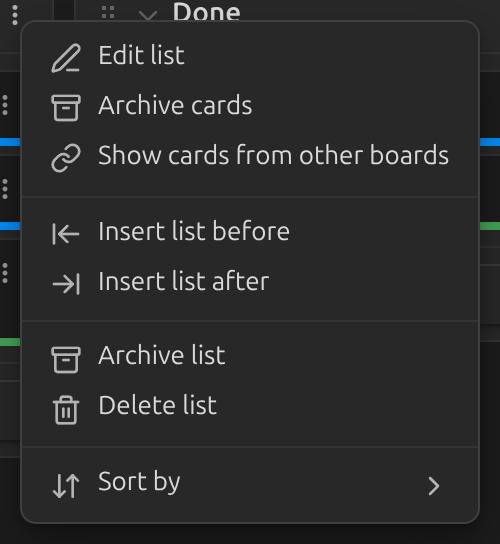
- Open the list menu (the
⋮button in the list header) and choose Show cards from other boards.
- Pick a board and one of its lists, then click Add list. Add as many as you like, from one or several boards.
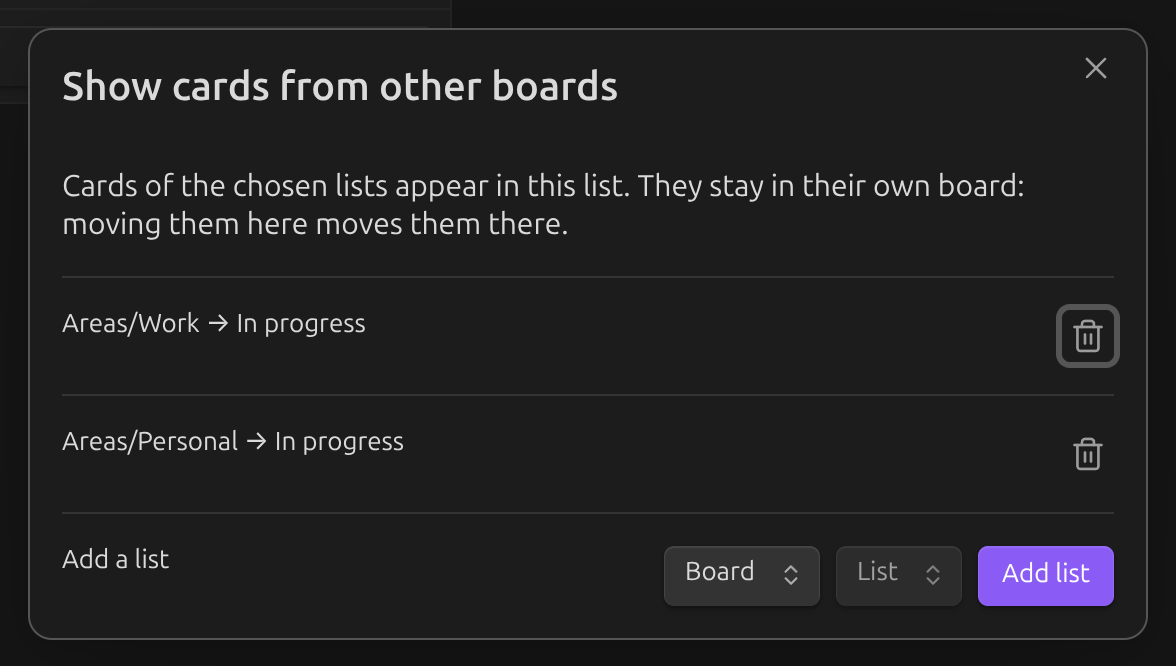
Cards of the linked lists now appear in this list. Links go one way: the other board does not change and does not show your cards. To see each other's cards, link the lists on both boards.
A board with empty lists that only link other boards works as an overview of everything.
Telling cards apart
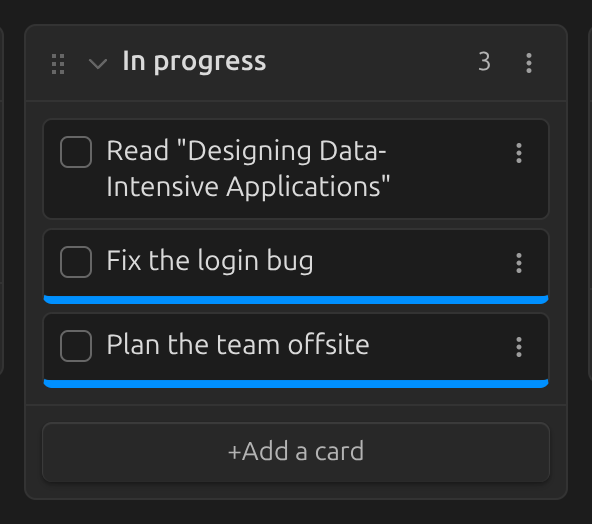
Cards from other boards have a colored stripe at the bottom: the color of their board. Set it
in that board's settings, under Board color. The card menu (⋮
on the card) starts with From board: … — click it to open that board.
Working with linked cards
A linked card still belongs to its own board. Everything you do with it — check it, edit it, archive it, drag it — changes that board's file, even when that board is not open.
- Dragging. A linked card can go to any list that shows the same board, and it moves to the matching list there. Lists that do not show its board don't accept it.
- Order. Put cards of all boards in any order. The other board only changes when its own cards change order among themselves or move to another list.
- New cards added to a list always belong to the board you are looking at.
Good to know
- Linked cards are shown on boards, not in the table view.
- Renaming or moving a board, or renaming a list through the plugin, keeps links working. If a linked board or list can't be found (for example, renamed in markdown), the list shows Linked list not found; link it again from the list menu.
- To remember where a linked card sits, the plugin may add a block id (like
^k3f9a2) to it in its own file. Boards never show it.