Card history
Kanban Starlane keeps a history of what happened to each card: when it was created, edited, moved between lists, checked or unchecked, archived or restored. This also works for cards shown through linked lists — their history stays with the card's own board.
Viewing a card's history
Right-click a card, or open its ⋮ menu, and choose History.
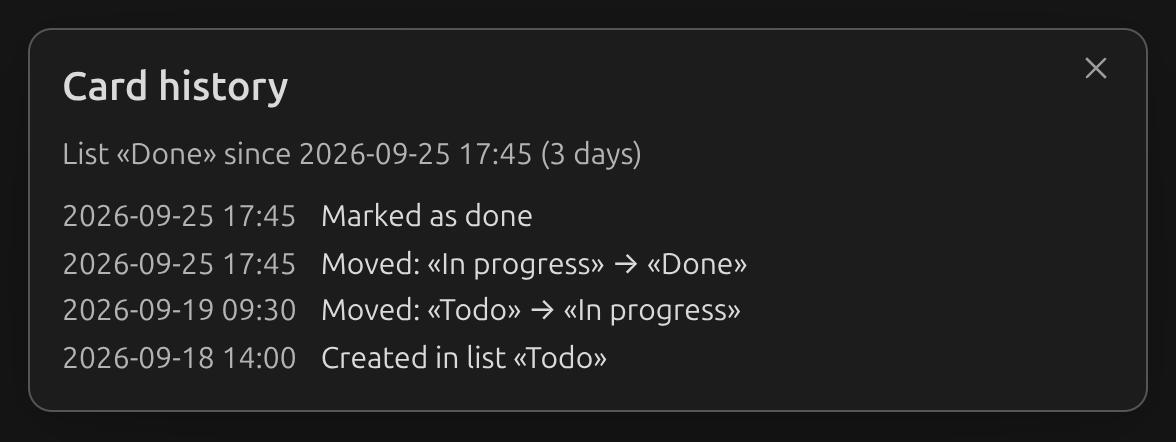
The window opens with a summary — how long the card has been in its current list — followed by every recorded event, newest first:
- Created in list "…"
- Edited
- Moved: "From" → "To" (or Moved from board "…": "From" → "To" for a card that came from another board through a linked list)
- Marked as done / Marked as not done
- Archived from list "…" / Restored from archive to list "…"
Only the fact that something happened is recorded, not what changed — for example, an edit shows as Edited, not the new text. Edits made within two minutes of each other count as one event.
What's not recorded
- Changes made by editing the board's markdown directly are not recorded — only actions taken through the plugin's UI are (the plugin can't tell who made a text edit, or when).
- Deleting a card deletes its history along with it. Dragging a card to another board keeps its history and moves it there too.
Turning it off
History is on by default. Turn it off in settings if you don't want cards tracked — this stops recording new events but keeps whatever history a card already has.