Kanban Starlane
Kanban boards for Obsidian, stored as plain markdown notes.
Kanban Starlane turns a note into a board: lists are headings and cards are task-list items, so the note stays readable and editable without the plugin. Cards carry dates, tags and links to other notes, move between lists and boards by drag and drop, and keep a history of what happened to them. One list can also show the cards of lists on other boards, so you can keep a board per area and still see all your work in one place.
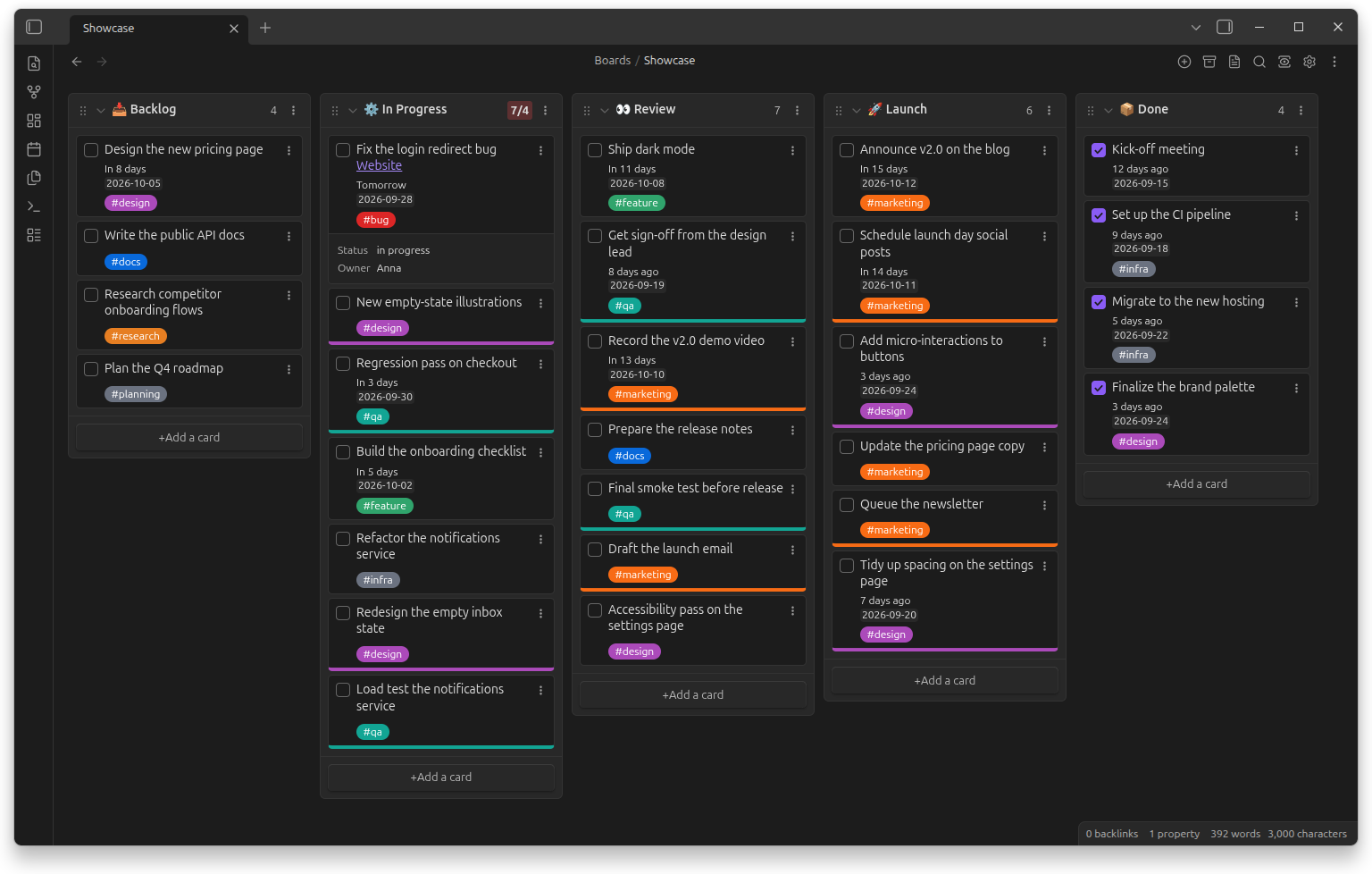
Quick start
- Install the plugin from Settings → Community plugins.
- Create a board: right-click a folder and choose New Kanban board.
- Add lists and cards, then drag cards between lists as work moves.
Already using the Kanban plugin?
Both plugins can be installed side by side, and your boards are converted on demand — see Coming from the Kanban plugin.
Explore
-
Organize work
Cards and lists · Views · WIP limits · Archive
Edit cards in place, turn them into notes, see a board as a table or a list, cap how many cards a list holds.
-
Track time
Dates and times · Card history
Put dates and times on cards and see when each card was created, moved, checked or archived.
-
Connect notes
Linked lists · Linked page metadata · Tasks and Dataview fields
Show cards from other boards in one list, and the properties of the notes your cards link to.
-
Make it yours
Color tags, choose date formats and what cards show — globally or per board.
Need help?
- Common questions are answered in the FAQ.
- Found a bug or missing a feature? Open an issue on GitHub.
About
Kanban Starlane is a fork of the Kanban plugin 2.0.51 by Matthew Meyers. It is developed on its own roadmap.